

Coding 101: Empowering Educators to Bring Coding to the Classroom
- Spectrum
- May 27, 2024

Coding isn't just a skill for future software engineers; it's a gateway to problem-solving, creativity, and understanding how the digital world works. Whether you're a teacher looking to introduce coding from kindergarten or a curriculum specialist seeking to integrate programming into elementary education, this blog offers resources and insights to make coding accessible and fun for students of all ages.
Early Encounters: The Advantages of Coding from Kindergarten
Introducing coding at a young age helps children develop logical thinking and problem-solving skills. With the right tools, coding can be as simple and engaging as any other learning activity. Resources like code.org provide grade-specific coding units that make learning to code interactive and fun, using animated activities that captivate young minds. They have even partnered with micro:bit to create resources for learning to code as well.

Unlocking the Code: Code.org's Interactive Learning Modules
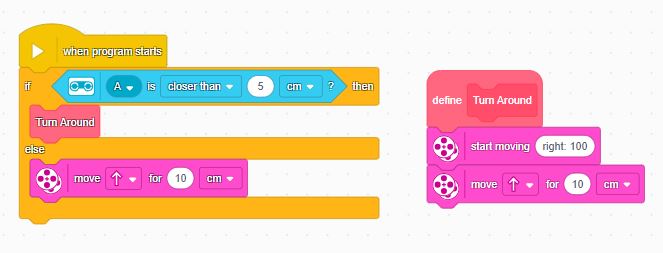
Code.org is a fantastic platform that offers a structured pathway into the world of coding through block programming. Their curriculum is designed to be age-appropriate, ensuring that even the youngest learners can grasp basic concepts through playful, story-based activities. Here's a breakdown of the key programming concepts taught on Code.org (blocks shown below are from LEGO's SPIKE App):
- Events: Actions triggered by specific behaviors or inputs.

- Actions: The tasks performed as a result of events. (e.g. turn on LEDs, start moving forward for 10cm, etc.)

- Loops: Code that is repeated several times, or until a condition is met.

- Functions: Blocks of code designed to perform particular tasks, which can be used multiple times within a program. (e.g. define Turn Around)
- Variables: Symbols or names that hold values, which can change over time. (e.g. distance sensor is closer than 5cm)
- Conditional Statements: Code that performs different actions depending on whether a condition is true or not. (e.g. if/else)

From Screen to Hands-On: Elevating Code with Micro:bit
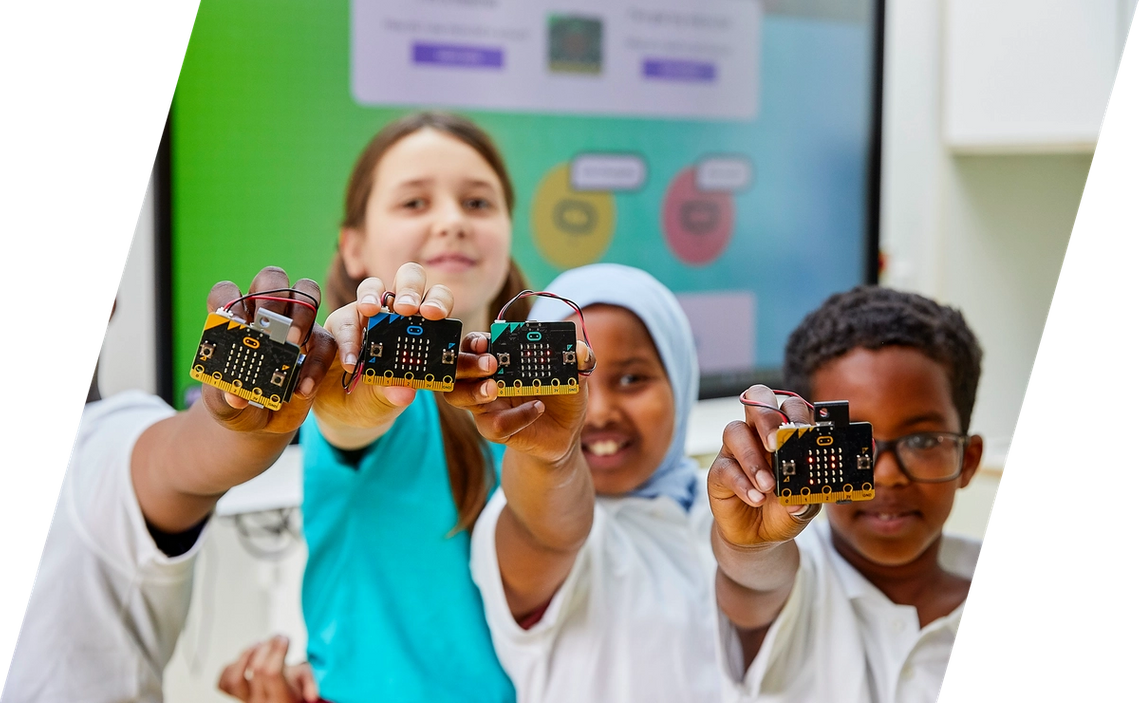
After a foundational coding unit, incorporating physical devices like the BBC micro:bit can deepen understanding and bring abstract concepts to life. Code.org integrates micro:bit lessons as a natural progression to bridge digital coding skills with physical computing. This pocket-sized computer allows students to see the immediate impact of their code in the real world, controlling lights, sounds, and movement.

Welcome to the Robot Revolution: Simplifying Tasks with Tech
When most people hear "robot," they might imagine complex, humanoid machines. However, robotics can include any automated device that performs tasks—often simplifying or taking over activities usually done by humans. A micro:bit, for instance, is a type of robot when programmed to perform autonomous functions, such as adjusting volume with the press of a button.
Final Byte: Coding Toward a Smarter Future
Today's society is rapidly embracing automation, which enhances efficiency and reduces human error. Learning to code is the first step in understanding and developing automation technologies. Whether in home automation, manufacturing, or healthcare, coding skills are becoming indispensable.
As we continue to advance technologically, coding is no longer just for tech professionals. It's for anyone interested in shaping the future, making life easier, and solving practical problems. And remember, learning to code is just like building with blocks—one step at a time!
With these resources and insights, educators can feel confident in starting their journey and their students' journey into the world of coding, from simple block-based activities to real-world applications with robotics and automation.


